
Smart technology has moved past smartphones and tablets. In 2026, the gadgets actually changing daily habits are quieter than that — a ring instead of a watch, earbuds that translate a conversation in real time, a box in your breaker panel that tells you which appliance is quietly costing you money. None of these are gimmicks anymore; each solves a specific, narrow problem well enough that people keep using them past the first week, which is the real test for any gadget category.
Here's a closer look at the three categories worth your money in 2026, what they actually do differently from the hype, and how to decide if you need one.

1. Smart Health Rings: Sleep & Recovery Analytics
Smart rings took over the "health wearable" conversation from smartwatches for one simple reason: people actually wear them to bed. A watch on your wrist all night is uncomfortable for a lot of people and dies before morning; a ring is easy to forget you're wearing, which is exactly why the sleep data from it tends to be more consistent.
What they actually track well:
- Heart Rate Variability (HRV) — a genuinely useful recovery signal once you have a few weeks of baseline data. A single night's number means almost nothing; the trend over 2-3 weeks does.
- Continuous body temperature — useful for spotting illness onset a day or two early, and for cycle tracking in women's health apps.
- Sleep stage estimation (light/deep/REM) — reasonably accurate for total sleep time, less reliable for exact stage boundaries. Treat it as directional, not clinical.
Where rings fall short: they're weak at continuous heart rate during exercise compared to a chest strap or a wrist device with a good optical sensor, and they don't show you anything on-device — you're fully dependent on the companion app, which for most brands requires a subscription after the first year to unlock trend history.
Buying guidance: if your main goal is sleep and recovery tracking and you don't want to wear a watch overnight, a ring is worth it. If you also want workout metrics (pace, real-time heart rate zones, GPS), you'll still want a watch alongside it — rings are not a replacement for one, they're a complement.
2. Spatial Earbuds with Live Neural Translation
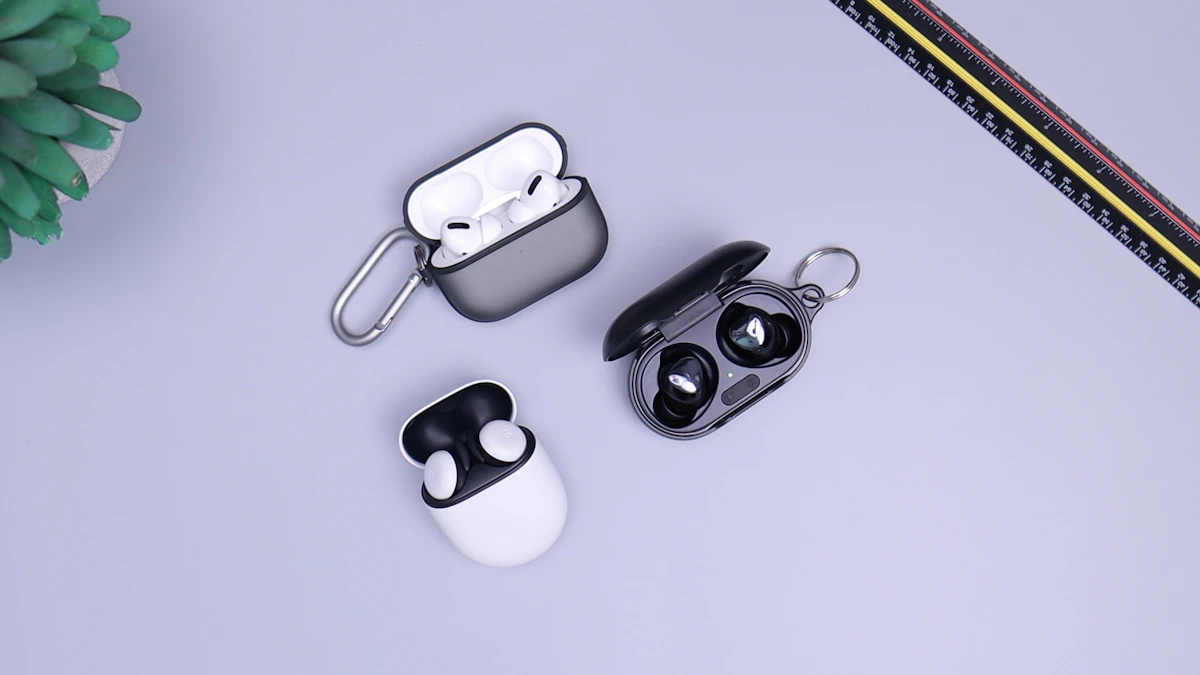
On-device translation earbuds are the category that's moved fastest from novelty to genuinely useful. The pitch — someone speaks a foreign language near you, you hear it translated in your ear within a second or two — is now real, not vaporware, on the higher-end 2026 models.
What's actually improved vs. earlier attempts:
- Latency: earlier translation earbuds had a noticeable 3-5 second lag that made real conversation awkward. On-device neural processing (rather than round-tripping audio to a cloud server) has cut that down meaningfully, though it still isn't instant.
- Accuracy in noisy environments: adaptive ANC combined with beamforming microphones means the earbuds can isolate the speaker's voice from restaurant or street noise well enough to translate reliably — this was the weak point of earlier models.
- Offline language packs: several 2026 models let you download language pairs in advance, so translation still works without a data connection while traveling — a meaningful upgrade from cloud-dependent earlier versions.
The honest limitation: translation quality still degrades for idioms, fast speech, and overlapping conversation (multiple people talking at once). Treat these as a strong tool for basic travel communication and business small talk, not a replacement for a human interpreter in anything high-stakes (medical, legal, contract negotiation).
Who should buy these: frequent international travelers and anyone doing regular business with non-English-speaking clients. If you mostly listen to music and podcasts, the translation feature is a nice-to-have, not a reason to upgrade.
3. Smart Home Energy Management Monitors
These install at your breaker panel (some require an electrician, some are DIY clamp-on) and break down your home's power draw circuit by circuit instead of giving you one lump utility number at the end of the month.
What they're actually good for:
- Identifying "phantom load" — appliances and devices drawing power even when off or idle. It's common for households to find several hundred watts of continuous phantom draw they didn't know about; over a year that adds up on the utility bill.
- Shifting EV charging to off-peak hours automatically, if your utility has time-of-use pricing — this alone can meaningfully cut charging cost in regions with a large peak/off-peak price gap.
- Catching failing appliances early — a refrigerator or HVAC compressor that's starting to fail often draws more power than normal before it fully breaks, and these monitors can flag that pattern before you're stuck with a dead fridge.
- Solar/battery integration — for households with solar panels, pairing a monitor with a home battery system lets you track exactly how much of your usage is self-supplied vs. grid-drawn in real time.
Cost vs. payback: budget monitors (single-point, whole-home only) are inexpensive but only tell you total draw, not which circuit. Circuit-level monitors cost more and, if you need professional installation, add labor cost — but they're the ones that actually let you find and fix waste. For most households, the payback period is measured in a couple of years through appliance-catch savings and behavior changes it prompts, not from the device magically reducing anything on its own.
The Common Thread
None of these three categories are exciting on a spec sheet the way a new foldable phone is. What they have in common is that each solves one specific, narrow, real problem — sleep tracking without wearing a watch to bed, cross-language conversation without an app fumble, and finding exactly where your electricity bill is going — well enough that people actually keep using them after the novelty wears off. That's the real bar for whether a "smart gadget" in 2026 is worth buying: not whether it's impressive in a demo, but whether you're still using it in three months.